

Build Custom SVG Icon Collections in WordPress 7.1
A custom block icon has traditionally meant JavaScript, a build step, or a workaround that doesn’t fully integrate with the editor. WordPress 7.1 introduces a public custom SVG icon API that lets a plugin register icons for the core/icon picker, PHP rendering, and REST API discovery without compiling any JavaScript. WordPress 7.1 is scheduled for release on August 19, 2026; WordPress 7.1 RC is suitable for development.
This guide builds a small myplugin-custom-icons plugin. It creates a myplugin collection, registers Heart, Star, and Bookmark icons, automatically imports SVG files from a directory, adds a shortcode, and uses a registered SVG as a block icon.
What you need before starting
Install WordPress 7.1 or later, prepare a local environment such as LocalWP, WordPress Studio, or wp-env, and have basic PHP knowledge. You’ll also need SVG files, although the Star and Bookmark files below are enough to start.
How the WordPress icon registry works
The API centers on an icon collection: a named namespace that contains related icons. Every icon must be assigned to a collection, so core/plus and myplugin/plus can exist independently. The collection prefix prevents collisions between WordPress core and different plugins.
Three functions provide the API:
wp_register_icon_collection( $name, $args )creates a named icon collection.wp_register_icon( $name, $args )adds one icon to a collection.wp_get_icon( $name, $args )returns an icon’s SVG markup as a PHP string.
When registering an icon, provide either content, which contains SVG markup in the PHP file, or file_path, which is an absolute path to an .svg file. Don’t pass both for the same icon. Inline markup is convenient for one or two icons, while file paths are easier to manage for an icon directory.
1. Create the plugin and its collection
Create this directory in wp-content/plugins/. The collection must exist before any icon is registered. If an icon is registered against a missing collection, it won’t appear in the picker.
myplugin-custom-icons/
├── myplugin-custom-icons.php
└── icons/
    ├── star.svg
└── bookmark.svgAdd the plugin header and register myplugin on init. The default hook priority is 10; later icon callbacks will use priority 20. The collection label becomes the heading displayed in the icon picker.
<?php
/**
 * Plugin Name: MyPlugin Custom Icons
 * Description: Register custom SVG icons for WordPress 7.1+.
 * Version:     1.0.0
 * Requires at least: 7.1
 * Requires PHP: 7.4
 */

if ( ! defined( 'ABSPATH' ) ) {
    exit;
}

define( 'MYPLUGIN_ICONS_PATH', plugin_dir_path( __FILE__ ) );

add_action( 'init', 'myplugin_register_icon_collection' );

function myplugin_register_icon_collection() {
    wp_register_icon_collection(
        'myplugin',
        array(
            'label' => __( 'MyPlugin', 'myplugin-icons' ),
        )
    );
}Activate the plugin under Plugins → Installed Plugins. A collection alone has no visible output, so the picker won’t show anything until it contains an icon.
2. Add SVGs inline and from files
Both registration methods can live in the same collection. Register the Heart SVG directly in PHP first. Its stroke="currentColor" attribute makes the drawing inherit the surrounding text color rather than forcing a fixed color.
add_action( 'init', 'myplugin_register_inline_icons', 20 );

function myplugin_register_inline_icons() {
    wp_register_icon(
        'myplugin/heart',
        array(
            'label'   => __( 'Heart', 'myplugin-icons' ),
            'content' => '<svg xmlns="http://www.w3.org/2000/svg" viewBox="0 0 24 24" fill="none" stroke="currentColor" stroke-width="2" stroke-linecap="round" stroke-linejoin="round"><path d="M20.84 4.61a5.5 5.5 0 0 0-7.78 0L12 5.67l-1.06-1.06a5.5 5.5 0 0 0-7.78 7.78l1.06 1.06L12 21.23l7.78-7.78 1.06-1.06a5.5 5.5 0 0 0 0-7.78z"/></svg>',
        )
    );
}For SVGs stored on disk, keep the files in the plugin’s icons directory.
<svg xmlns="http://www.w3.org/2000/svg" viewBox="0 0 24 24" fill="none" stroke="currentColor" stroke-width="2" stroke-linecap="round" stroke-linejoin="round">
    <polygon points="12 2 15.09 8.26 22 9.27 17 14.14 18.18 21.02 12 17.77 5.82 21.02 7 14.14 2 9.27 8.91 8.26 12 2"/>
</svg><svg xmlns="http://www.w3.org/2000/svg" viewBox="0 0 24 24" fill="none" stroke="currentColor" stroke-width="2" stroke-linecap="round" stroke-linejoin="round">
<path d="M19 21l-7-5-7 5V5a2 2 0 0 1 2-2h10a2 2 0 0 1 2 2z"/>
</svg>Each file-backed icon has its own name and picker label, but the only material difference from the Heart registration is file_path replacing content. WordPress reads the referenced SVG file when needed.
add_action( 'init', 'myplugin_register_file_icons', 20 );

function myplugin_register_file_icons() {
    wp_register_icon(
        'myplugin/star',
        array(
            'label'     => __( 'Star', 'myplugin-icons' ),
            'file_path' => MYPLUGIN_ICONS_PATH . 'icons/star.svg',
        )
    );

    wp_register_icon(
        'myplugin/bookmark',
        array(
            'label'     => __( 'Bookmark', 'myplugin-icons' ),
            'file_path' => MYPLUGIN_ICONS_PATH . 'icons/bookmark.svg',
        )
    );
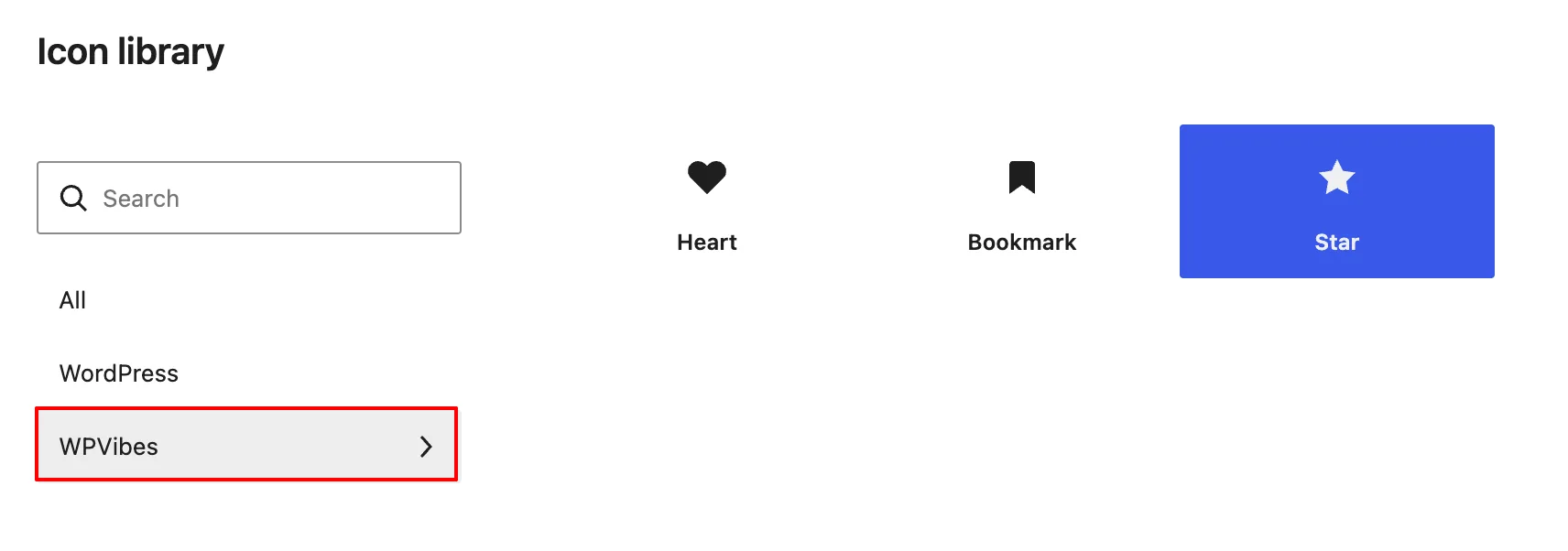
}Open a core/icon block after adding this code. Its picker includes a MyPlugin section with Heart, Star, and Bookmark. If it doesn’t, check hook order first: register the collection at the default priority and icons at 20 or another later priority.
3. Import every SVG from a folder
Individual calls become tedious for a library with dozens of assets. Replace myplugin_register_file_icons() with the following callback to register all .svg files in icons/ on each request.
add_action( 'init', 'myplugin_register_all_file_icons', 20 );

function myplugin_register_all_file_icons() {
    $icons_dir = MYPLUGIN_ICONS_PATH . 'icons/';
    $svg_files = glob( $icons_dir . '*.svg' );

    if ( empty( $svg_files ) ) {
        return;
    }

    foreach ( $svg_files as $file_path ) {
        $slug  = basename( $file_path, '.svg' );
        $label = ucwords( str_replace( '-', ' ', $slug ) );

        wp_register_icon(
            'myplugin/' . $slug,
            array(
                'label'     => $label,
                'file_path' => $file_path,
            )
        );
    }
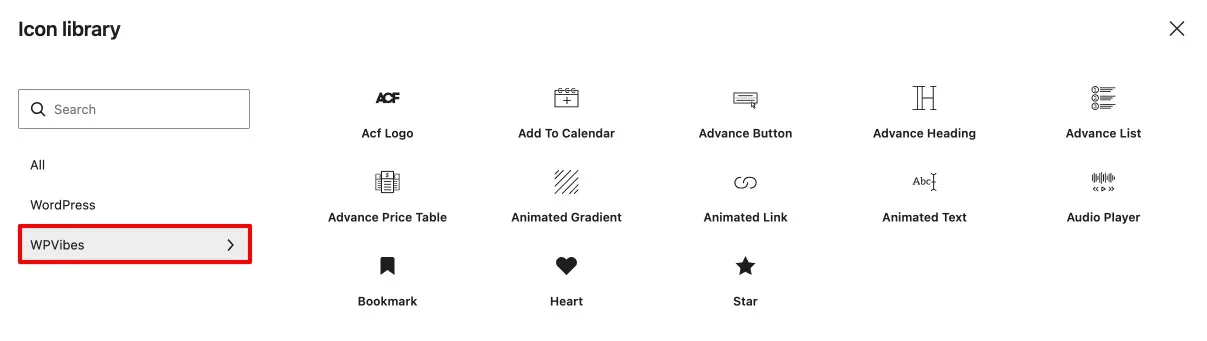
}glob( $icons_dir . '*.svg' ) finds every SVG in the directory. basename( $file_path, '.svg' ) turns advanced-button.svg into advanced-button, and ucwords( str_replace( '-', ' ', $slug ) ) makes the picker label Advanced Button. The loop registers each result as myplugin/<slug>.
Add a new SVG file, refresh the editor, and the icon is available without another PHP change. You can keep the inline Heart registration while using this pattern for Star, Bookmark, and all later file-based icons.
4. Render registered icons in the editor, PHP, and blocks
The core/icon block discovers registered collections automatically, and selected icons render on the frontend without additional code. WordPress also exposes icons at /wp-json/wp/v2/icons and collections at /wp-json/wp/v2/icon-collections, which lets external tools read this registered data.
In PHP, wp_get_icon() returns SVG markup as a string. Echo it directly for the simplest output, or pass arguments that control output details.
echo wp_get_icon( 'myplugin/heart' );

echo wp_get_icon(
    'myplugin/star',
    array(
        'size'  => 32,
        'class' => 'featured-icon',
        'label' => __( 'Featured', 'myplugin-icons' ),
    )
);size writes SVG width and height in pixels. class adds a class to the SVG element, and label supplies an aria-label for screen readers. The $args array also accepts title.
Add a content shortcode
A shortcode gives editors a way to place any registered icon beside text in posts, pages, or widgets. This implementation sanitizes the icon slug, size, and class before rendering.
add_shortcode( 'myplugin_icon', 'myplugin_icon_shortcode' );

function myplugin_icon_shortcode( $atts ) {
    $atts = shortcode_atts(
        array(
            'name'  => 'heart',
            'text'  => '',
            'size'  => 24,
            'class' => '',
        ),
        $atts
    );

    $icon = wp_get_icon(
        'myplugin/' . sanitize_key( $atts['name'] ),
        array(
            'size'  => absint( $atts['size'] ),
            'class' => sanitize_html_class( $atts['class'] ),
        )
    );

    if ( ! $icon ) {
        return '';
    }

    return sprintf(
        '<span>%s %s</span>',
        $icon,
        esc_html( $atts['text'] )
    );
}[myplugin_icon name="heart" text="Hello World"]
[myplugin_icon name="star" text="Featured post" size="32"]
[myplugin_icon name="bookmark" text="Save for later" size="20"]The SVG sits next to the supplied text and follows the requested size. Since these SVGs use currentColor, they also adopt the surrounding text color automatically.
Use an SVG as a block icon
A custom icon can replace a Dashicon in register_block_type(). This works for JavaScript-registered blocks and PHP-only blocks alike.
'icon' => 'warning', // Uses a Dashicon

// Use a registered custom icon instead.
'icon' => 'myplugin/star',The block inserter now displays the registered SVG rather than the generic Dashicon. The same registry therefore supports the editor, PHP templates, REST endpoints, and block registration.
5. Make SVG icons adapt to your site
Avoid hardcoded SVG colors when an icon should blend into its context. Use stroke="currentColor" or fill="currentColor" so the SVG behaves like text: it can match red text, a dark theme, or a link without separate icon variants.
<!-- Avoid a fixed color. -->
<svg viewBox="0 0 24 24" stroke="#dc2626" stroke-width="2">
    <path d="..."/>
</svg>Set a CSS color when an icon needs a deliberate visual identity, such as a brand mark or status indicator. Because the SVG references currentColor, the value cascades into its stroke or fill.
.featured-icon {
    color: #f59e0b; /* Amber, regardless of surrounding text */
}For output from wp_get_icon() or the shortcode, size is useful when a single instance needs an exact pixel value. Use a CSS class, either from the class argument or on a wrapper, for repeated styling and states such as hover, focus, active, links, or headings.
.myplugin-icon-inline svg {
    transition: transform 0.15s ease-in-out;
}

.myplugin-icon-inline:hover svg {
    transform: scale(1.1);
}6. Unregister icons safely
Remove one icon with wp_unregister_icon() when an update drops it or during development. It vanishes from the picker on the next request, but existing core/icon blocks that use it render empty because WordPress doesn’t rewrite post content.
wp_unregister_icon( 'myplugin/bookmark' );On plugin deactivation, remove the collection rather than looping over every member. Unregistering a collection removes all icons inside it from the picker.
register_deactivation_hook( __FILE__, 'myplugin_unregister_icons' );

function myplugin_unregister_icons() {
    wp_unregister_icon_collection( 'myplugin' );
}SVG and collection questions
Must the collection be registered first?
Yes. Icons require an existing collection and otherwise silently fail to appear in the picker. Register the collection on init at the default priority, then register icons later, such as priority 20.
Can one collection mix content and file_path icons?
Yes. Each wp_register_icon() call is independent. Use content for one or two SVGs and file_path for the rest; WordPress handles them the same way after registration.
Can registered icons be passed to register_block_type()?
Yes. Assign a full registered name such as 'myplugin/star' to the icon key. The block inserter uses that custom SVG instead of a Dashicon for both JavaScript-registered and PHP-only blocks.
Does wp_get_icon() return HTML or a string?
It returns the SVG as a string. You can echo that string or wrap it in your own markup, and its second $args array supports size, class, label for aria-label, and title.
Which SVG attributes should be removed before registration?
Remove fixed fill and stroke colors, plus width and height on the root <svg>. Retain viewBox and structural attributes, replace color values with currentColor where needed, and remove <style> blocks and scripts.
Can a theme register icons?
Yes. Call wp_register_icon() from a theme’s functions.php and use get_stylesheet_directory() to build a file path. Theme-owned icons disappear when the active theme changes, which is the trade-off compared with a plugin.
What if two collections contain icons with the same slug?
They don’t conflict. myplugin/heart and anotherplugin/heart are distinct because the collection prefix is part of the unique icon name.
Does WordPress sanitize SVG markup during registration?
No. WordPress serves the exact content string or file contents supplied to the registration call. Sanitize SVGs before shipping them: remove scripts, external references, and any unnecessary markup.
Build your icon library around the registry
Start with the collection callback, then choose inline content for isolated icons or the glob() pattern for a growing directory. Test the resulting names in a core/icon block, in wp_get_icon(), and as register_block_type() icons before deploying.
That register-once model keeps the editor, PHP, and REST output aligned. With currentColor, clean SVG markup, and a stable collection prefix, the same library can serve a branded block UI without a JavaScript build step.
A complete sample implementation with SVG files, a README, and the bulk registration pattern is available on GitHub.
References / Sources
Emma Richardson
UI/UX designer and frontend developer. React and the modern JavaScript ecosystem are my expertise. Passionate about user experience and accessibility.
All posts